User Interface
Arif is designed around a focused chat workspace with visible context, approvals, task progress, and undo controls.
Chat Workspace
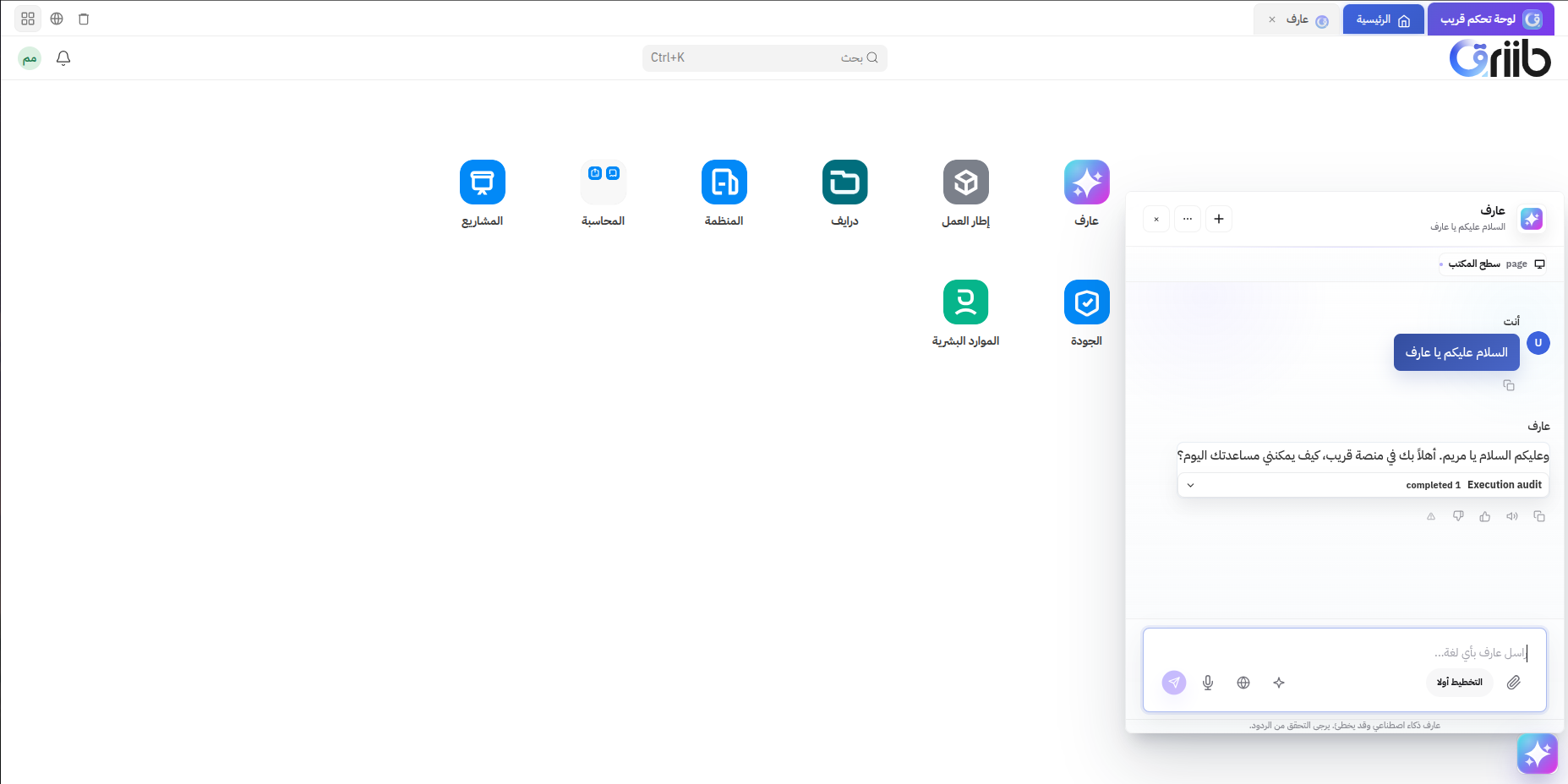
The chat workspace includes:
- Session list - Start, resume, star, rename, delete, or export conversations.
- Message area - Review user messages, Arif responses, tool cards, approvals, files, and rollback results.
- Input bar - Send text, attach files, use voice, enable web search when available, and switch Plan mode on for planning-first work.
- Task rail - See recent sessions, task state, readiness signals, and approval status.
- Approval dock - Review pending approval requests without losing chat context.
Context Signals
Arif shows context chips for the active business scope, Qriib permissions, page context, language handling, and approval state. These are signals about what Arif can safely use during the current session.
File Attachments
Attached files appear as chips before sending. Image files can show thumbnails; other supported files show their type and size. Oversized or unsupported files are rejected before upload.
Plan-First Toggle
Use Plan mode when you want Arif to investigate and prepare a plan before taking action. Plan mode is especially useful for setup, data cleanup, bulk work, and sensitive operational changes.
Approval Experience
When approval is needed, Arif presents a card that describes the proposed action and gives the user a chance to approve or reject it. The assistant waits for the decision before continuing.
Undo Experience
When supported changes were made in a session, Arif can expose undo actions or respond to requests such as "undo the last change." Rollback results appear in the chat so the user can verify what was reversed.