User GuideManualEnglish DocumentationIntegrations
Google Contacts Integration
Qriib ERP provides an integration with Google Contacts in order for all users to synchronize their Google Contacts with Qriib ERP.
How to set up Google Contacts Integration
In order to allow a synchronization with Google Contacts, you need to authorize Qriib ERP to get Contacts data from Google. Google Contacts Integration is set up with the following steps:
- Create OAuth 2.0 Credentials via Google Settings.
- In the Google Contacts list, click on New. Enter the Google Account Email you want to sync and then save it. Now click on Authorize Contacts Access to authorize Qriib ERP to get Contacts data from Google.
How to use Google Contacts Integration
Creating a Contacts in Qriib ERP
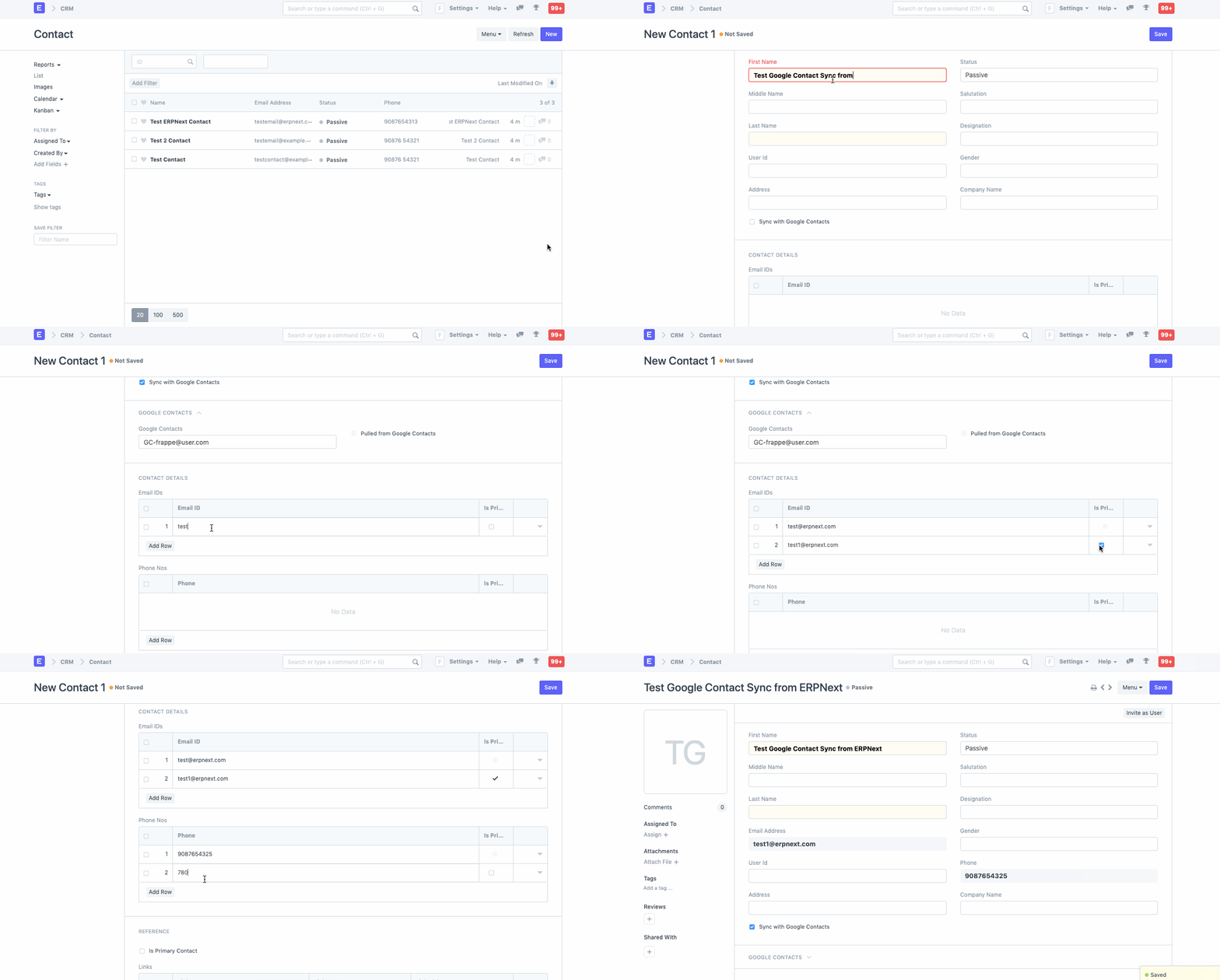
- Once Google Contacts Integration is succesful, all the contacts created in Qriib ERP will be synced if
Push to Google Contactsis checked.
Creating a Contact in Qriib ERP:
It will be shown in Google Contacts:
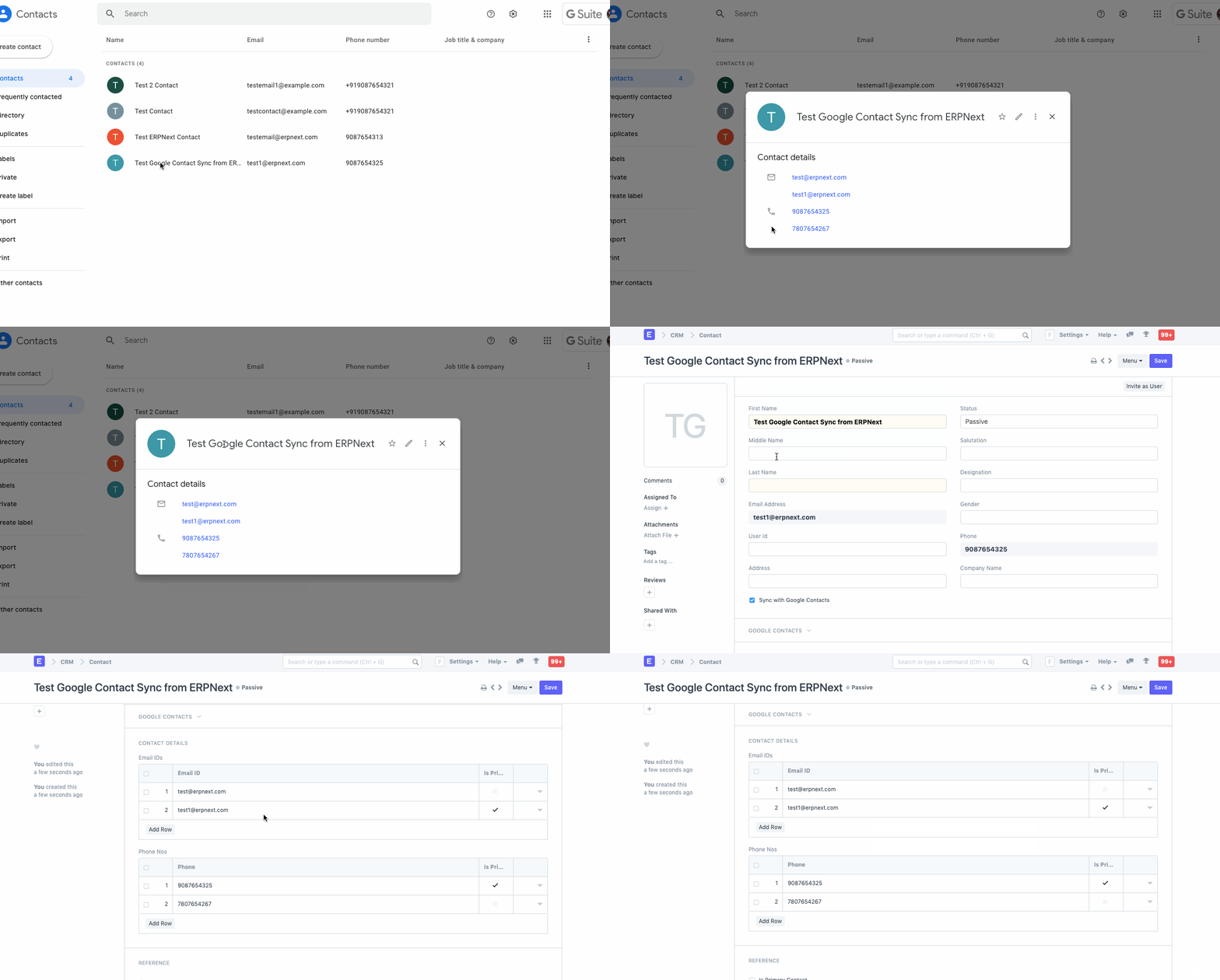
Syncing Contacts from Google Contacts
- Once Google Contacts Integration is succesful, all the contacts in Google Contacts will be synced if
Pull from Google Contactsis checked.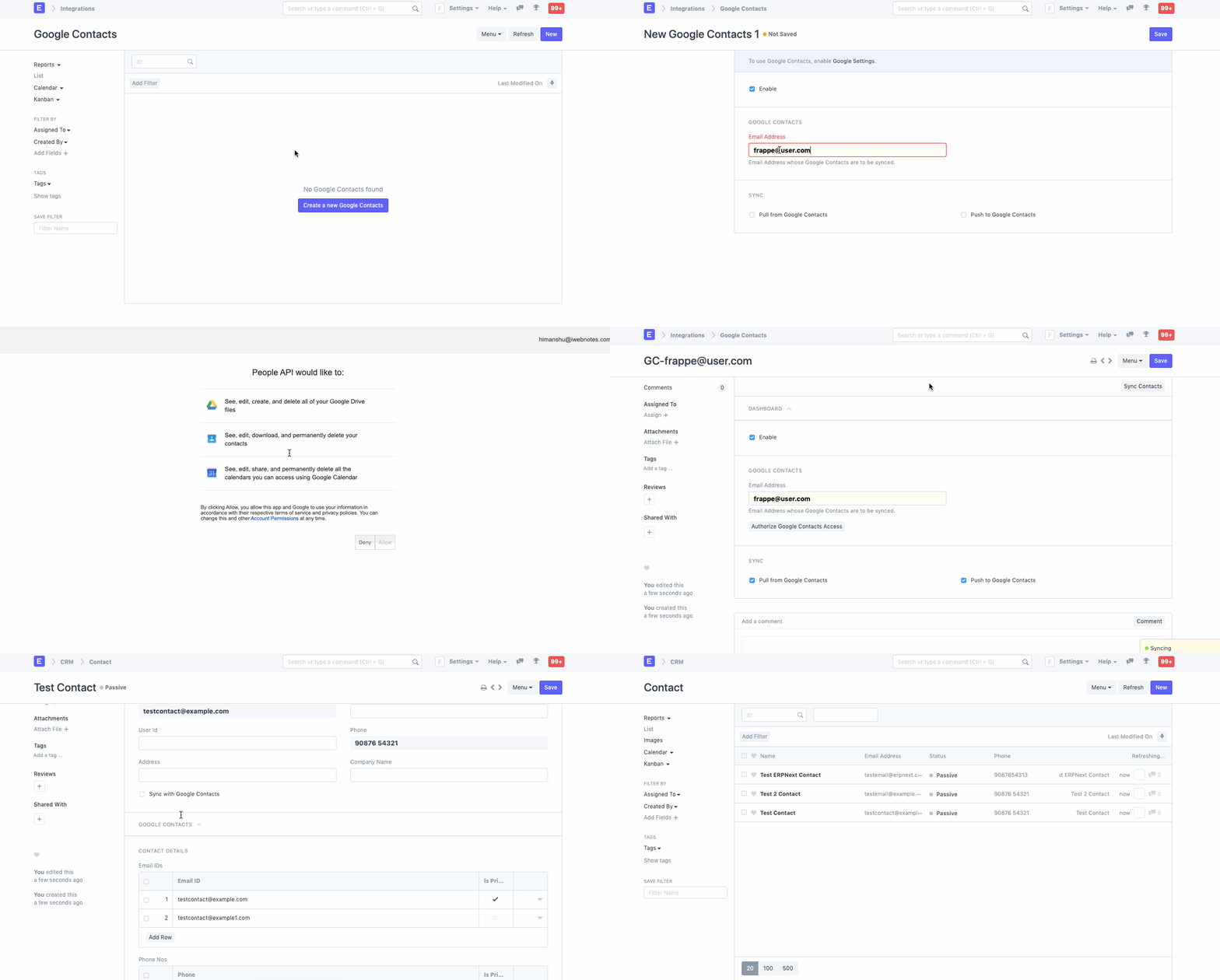 Last updated 3 weeks agoWas this helpful?
Submit
Thanks!